01 / VIDEO CALLS
A familiar face. One simple tap.
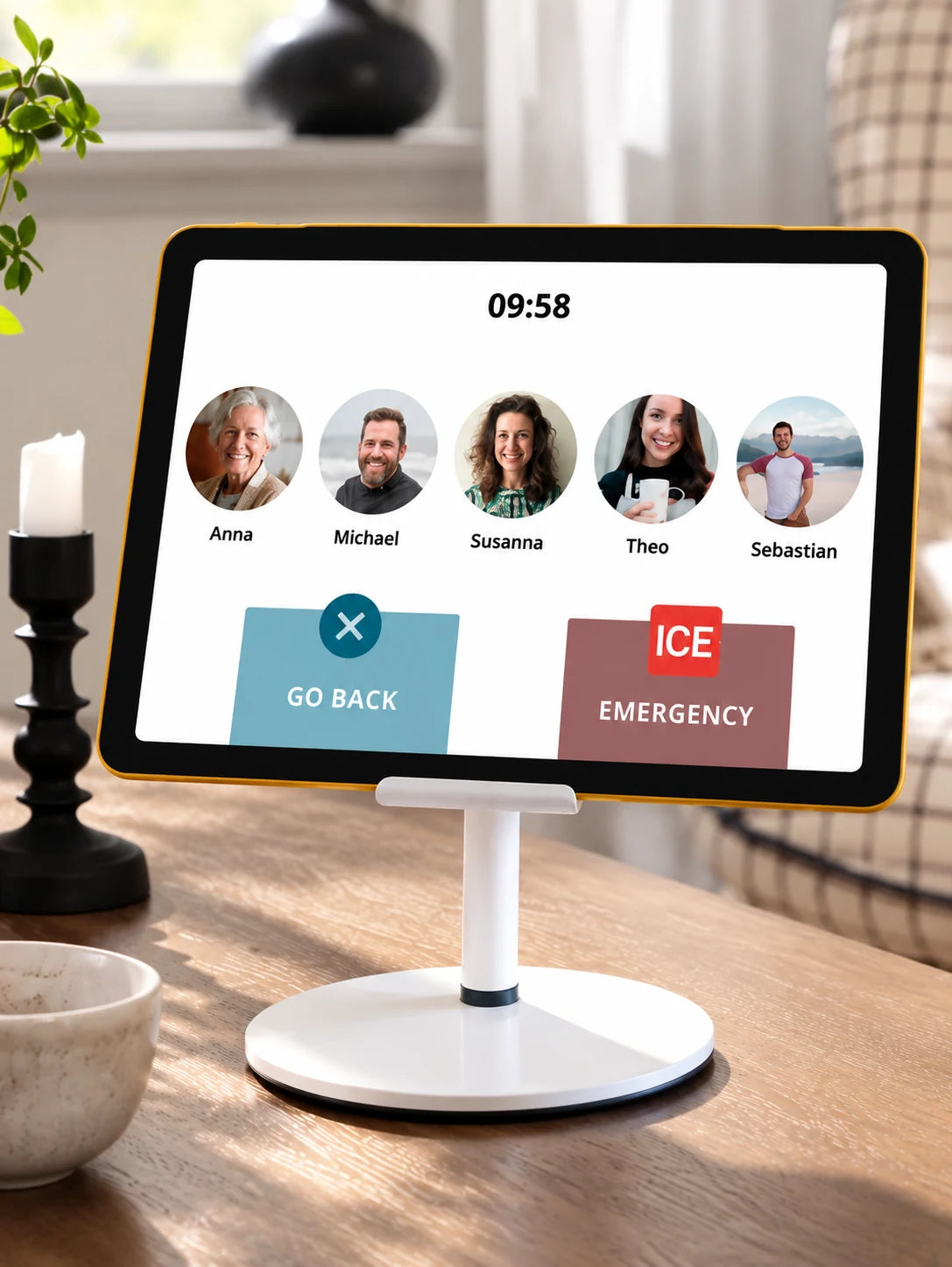
Instead of searching through apps and contact lists, your loved one can start a video call by tapping a family member's photo.

FROM HEEDY · SPONSORED CONTENT
Staying close to family should be simple. Yet for many older adults, something as ordinary as answering a video call can become a daily challenge.

THE EVERYDAY PROBLEM
A missed video call.
A button that's difficult to find.
An app that suddenly disappears from the screen.
You try to explain over the phone.
"Tap the green button."
But the button isn't there anymore.
And what should have been a simple conversation turns into another frustrating experience.
"The problem isn't that your parent doesn't want to stay connected. Sometimes, the technology simply asks too much."
A DIFFERENT WAY TO THINK
Most tablets are designed to do hundreds of different things.
Apps. Notifications. Settings. Menus. Constant updates.
But what if your parent doesn't need hundreds of functions?
What if they simply want to see your face, answer a call, or enjoy a photo of the grandchildren?
Maybe the answer isn't teaching people to use more technology.
Maybe it's making technology simpler.
MEET HEEDY
Heedy makes compatible tablets easier to use, helping older adults stay connected with the people who matter most.
Instead of navigating complicated menus, your loved one can see familiar faces and start a video call with a simple tap.

14 days free · No payment card required · No automatic paid subscription
MADE FOR EVERYDAY CONNECTION
01 / VIDEO CALLS
Instead of searching through apps and contact lists, your loved one can start a video call by tapping a family member's photo.

02 / AUTO-ANSWER
With optional Auto-Answer, calls from approved family members can connect automatically after a visible countdown. The feature can be enabled or disabled to suit your family's preferences.

03 / FAMILY SHARING
Share photos, videos and messages with your loved one, so everyday family moments can be enjoyed even when you're apart.
SIMPLE TO GET STARTED
Trying something new shouldn't mean starting from scratch.
Heedy works with compatible iPad and Android tablets, so your family may already have everything needed to get started.
Download Heedy on a compatible tablet and set up your family's connection.
Invite family members to join using their own smartphones.
Try it together and see whether Heedy is a good fit for your family.
Start with the tablet you already have. Focus on the people you love.
A LITTLE CLOSER, EVERY DAY
You don't have to decide if Heedy is right for your family today. Start with a free trial, make your first video call, and see how it fits into everyday life.
YOUR FAMILY'S FIRST STEP
Discover Heedy together, with no payment card required.
No payment card required · No automatic paid subscription
After 14 days, continue with Heedy Free unless you actively choose to upgrade to a paid Heedy Family subscription.
Want to connect more family members and enjoy longer video calls? Heedy Family is available as an optional paid subscription.
GOOD TO KNOW
Here are some things families often want to know before trying Heedy.
No. Heedy works with compatible iPad and Android tablets. Check device compatibility before installing.
Yes. Family members can connect using their own compatible smartphones while their loved one uses the tablet.
Heedy offers optional Auto-Answer for calls from approved family members, with a visible countdown. It can be turned on or off.
Yes. Heedy supports sharing family photos, videos and messages.
Continue with Heedy Free unless you actively choose a paid Heedy Family subscription. No payment card is needed to start.
You don't need to change everything. Just try a simpler way to stay close with the people who matter most.
Try Heedy Free for 14 Days14 days free · No payment card required · No automatic paid subscription